Grass

Grass - Screen Time App with Social Accountability
I designed and developed an app called Grass, which is a screen time app that incorporates social accountability to the conventional time restriction model. This app discovers ways where multiple people can have a stake in a user’s screen usage.
Timeline:
Jan-May 2026
Role:
Product Designer/Developer
Type:
Capstone Project
Assessing the negative impacts of social media usage
In my personal life, I struggle with excessive phone use. I find myself scrolling through short-form content on social media and going down rabbit holes that are maladaptive. Unfortunately, this issue is not unique to me and has, in fact, become a prevalent problem amongst the general population today.
Based on some research that I conducted:
Social media usage has shown to have significant positive correlation with depression and anxiety
A study found that excessive social media usage to be associated with negative effects in cognitive functions associated with emotional processing, self control, and attention
Excessive social media usage has been linked to lower academic performance
The Solution?
Most screen time apps are very good at helping users achieve their screen-limit goals on an individual basis. However, this might not be reliable since there isn’t much keeping the user accountable. My app makes use of accountability groups, which can be joined by users to hold other users in that group accountable for their screen-time goals. By extension, the user may be punished via public/group humiliation for surpassing their screen time limit.
Ideation & Early Prototypes
The early iterations of this project was focused around building out the main features and their accompanying components. Although I may have gotten too technical in the early stages, it helped set the stage for later stages in the design process, making it easier too emphasize aesthetics and optimize user flow.


Brainstorming- listing potential features and drawing screens

Initial user flow chart


Lo-fi prototypes of major screens

Early iteration of component system
Main Screens
Time Limit Screen
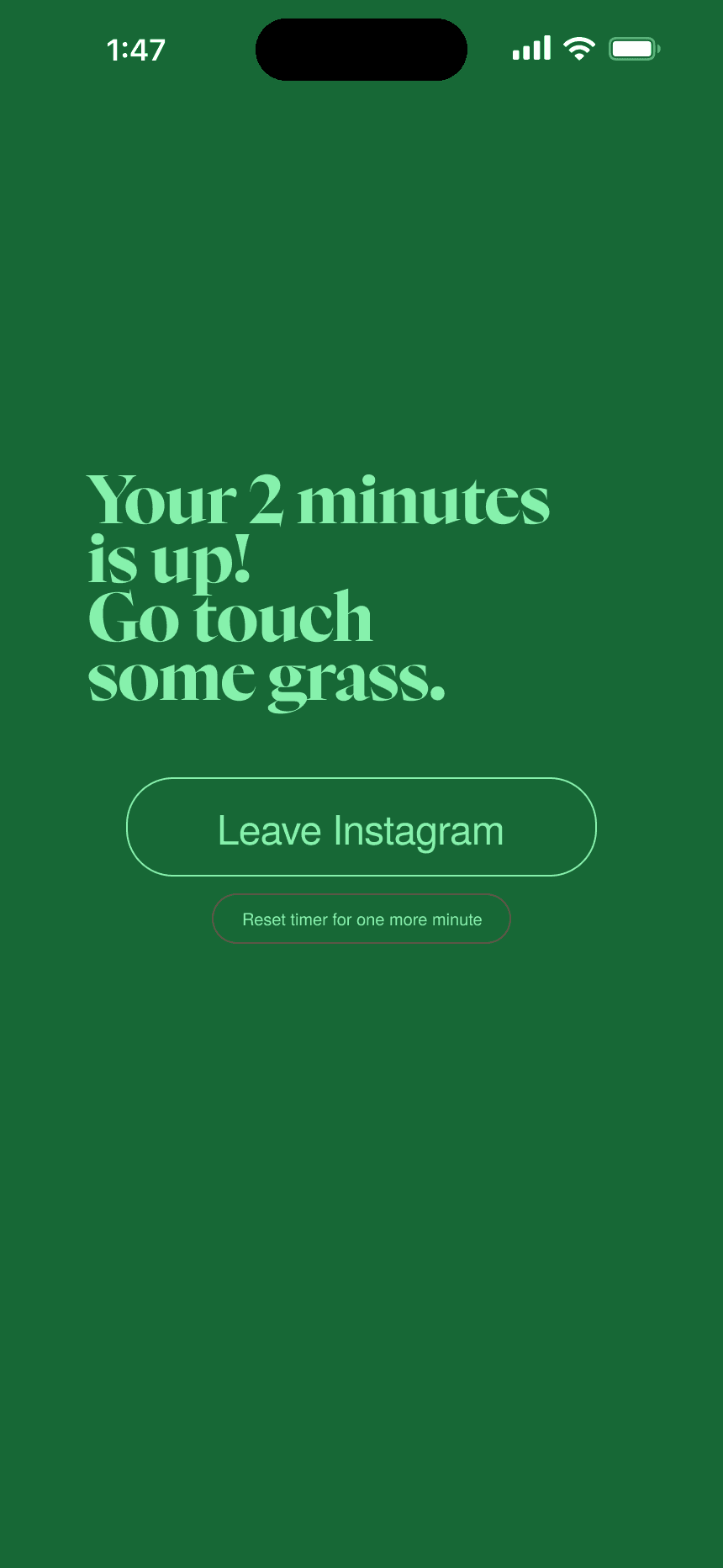
This is the screen that pops up when the user reaches the screen time limit for an app, giving them the option to either exit the app or override the screen limit.

Homepage
Homepage includes information on any active focus sessions and screen time stats, along with a cute background :D
Accountability Group Landing Page
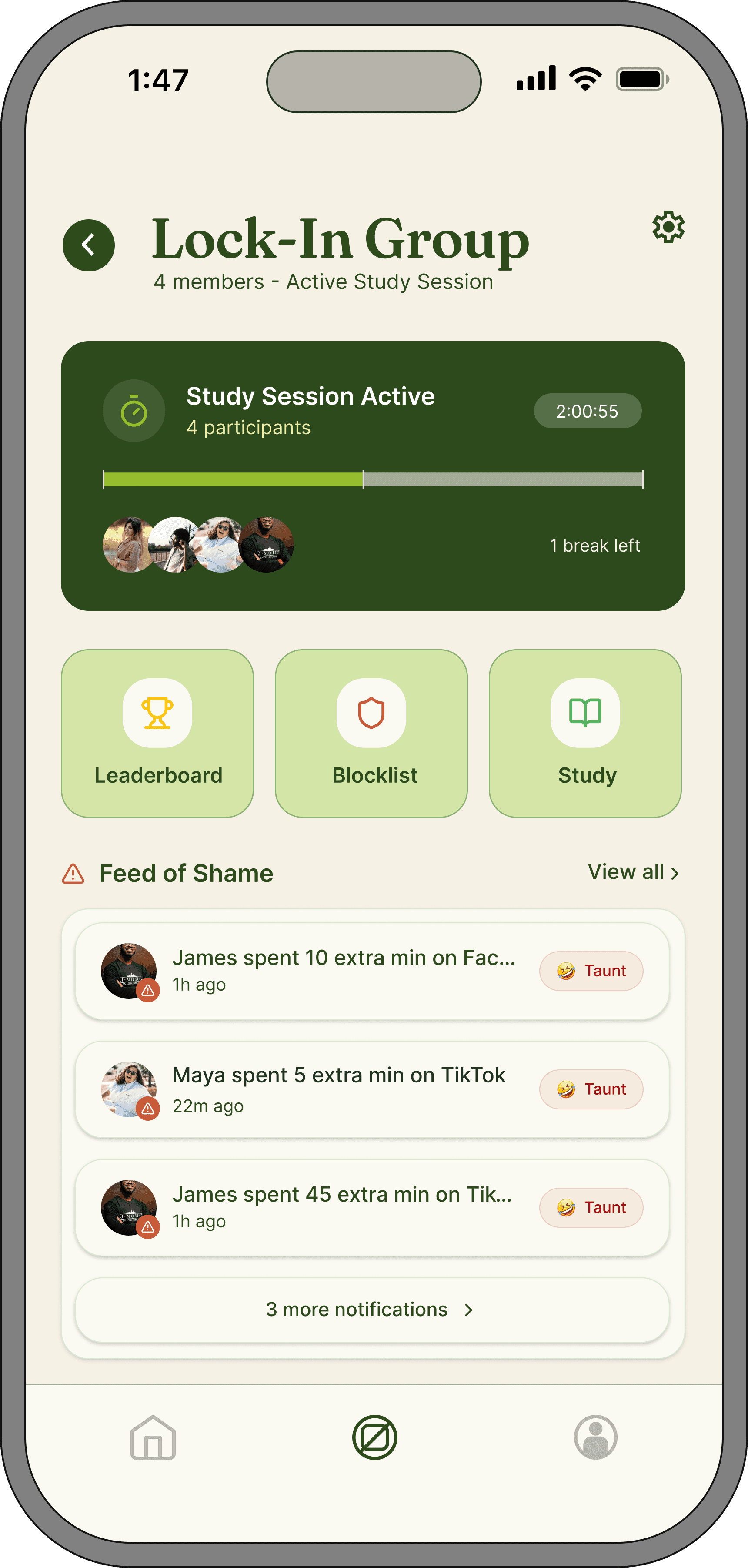
Homepage for accountability groups, features information on active focus sessions and buttons leading to all the features.

History of Screen Limit Overrides
Shows a log of the times when a group member of the accountability group overrode their app limit and notified the group about it, giving users the option to taunt the users.

Creating Study Session
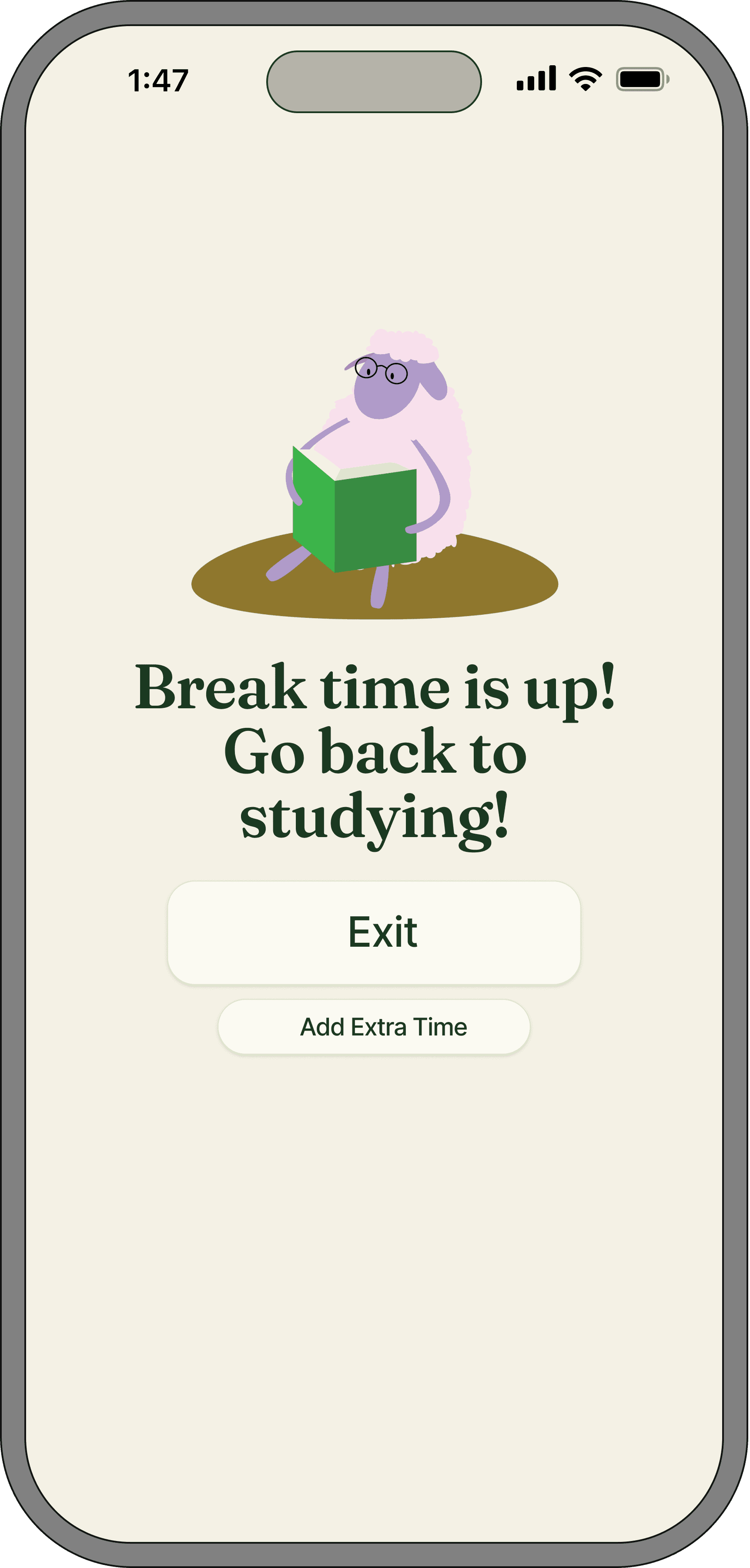
Screen for users to create a new focus session, where any user who joins will be subject to additional screen time restrictions for certain apps.
Study Session Info Page
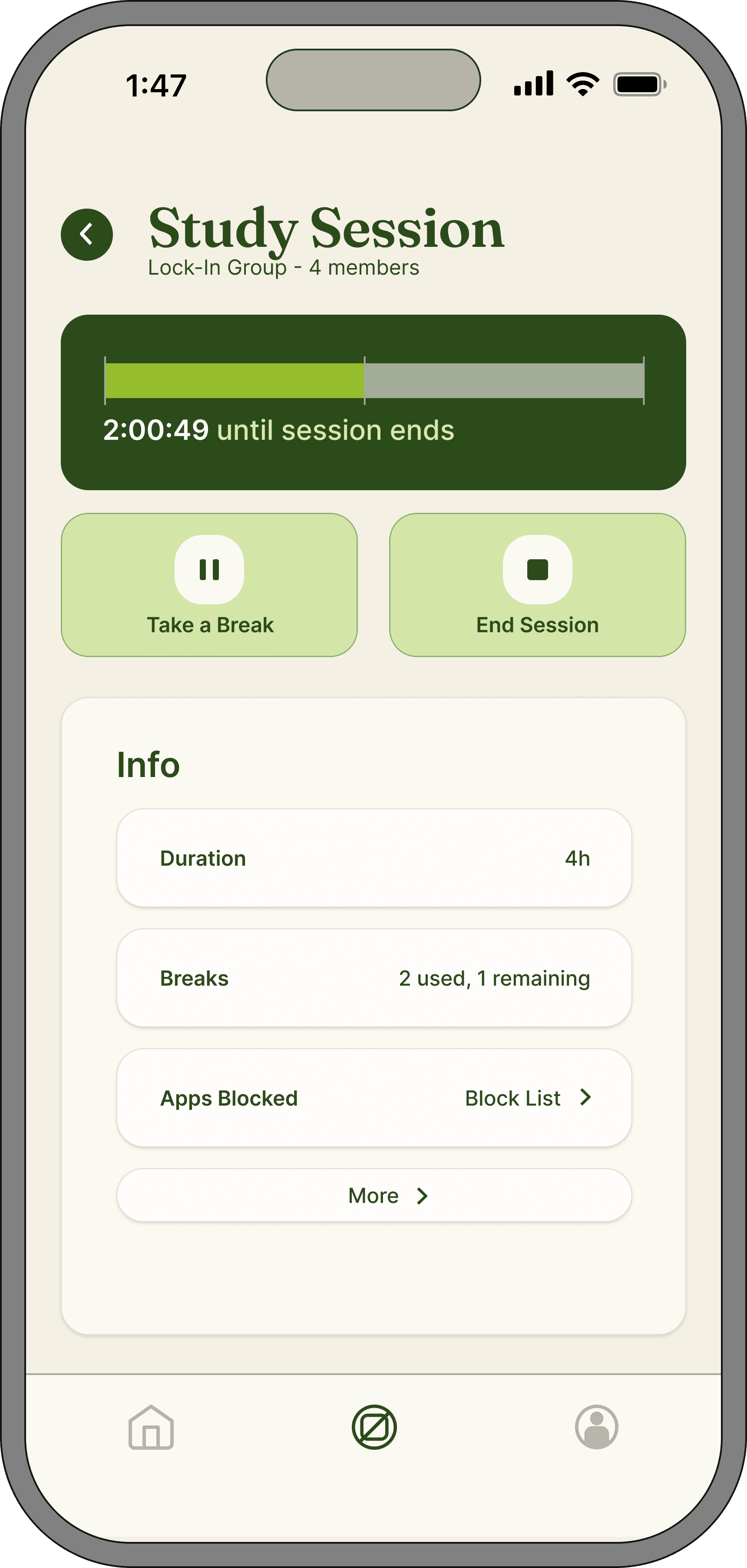
Info page for active focus session, giving user the option to pause, leave, or end the session.
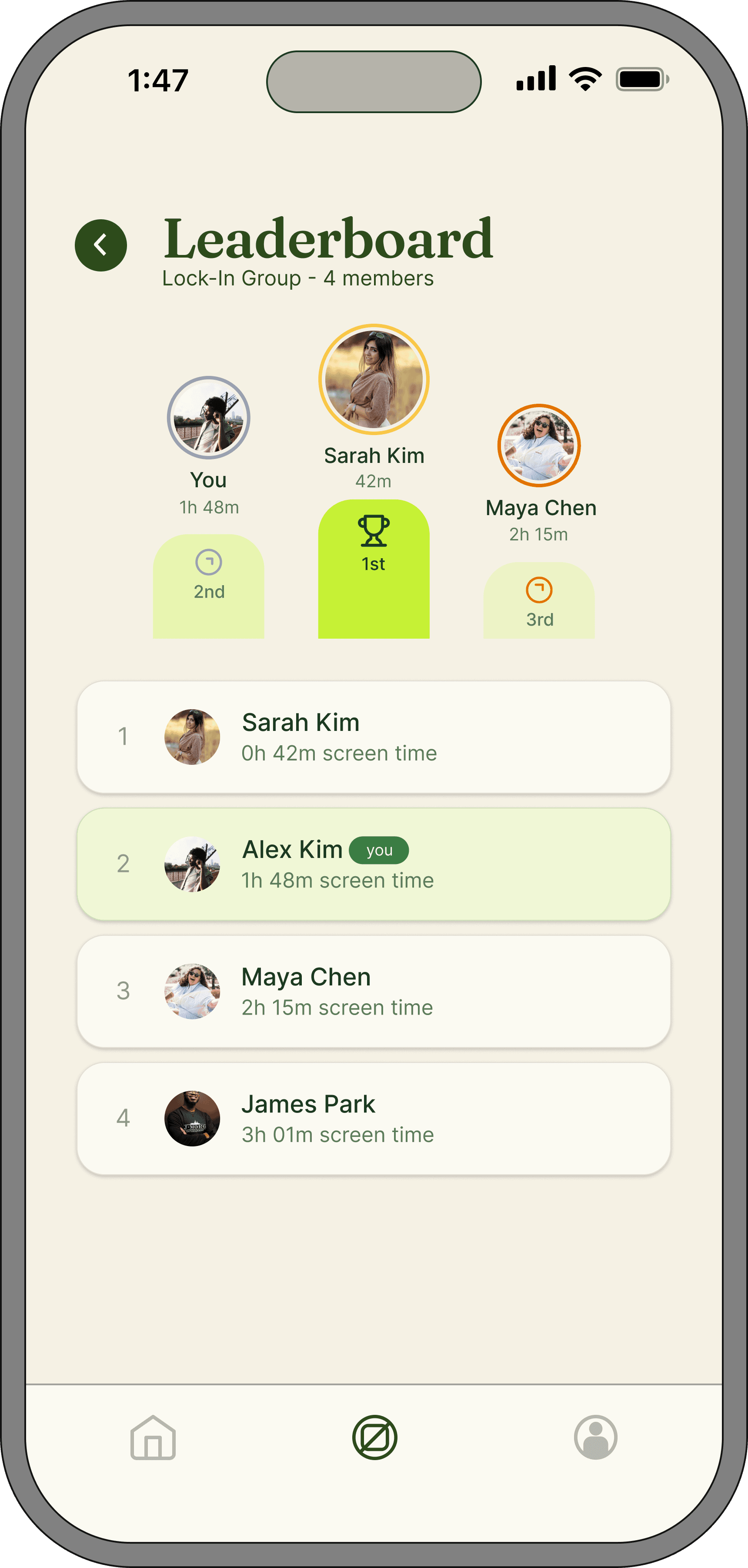
Group Leaderboard
Leaderboard for which users have the least amount of screen time
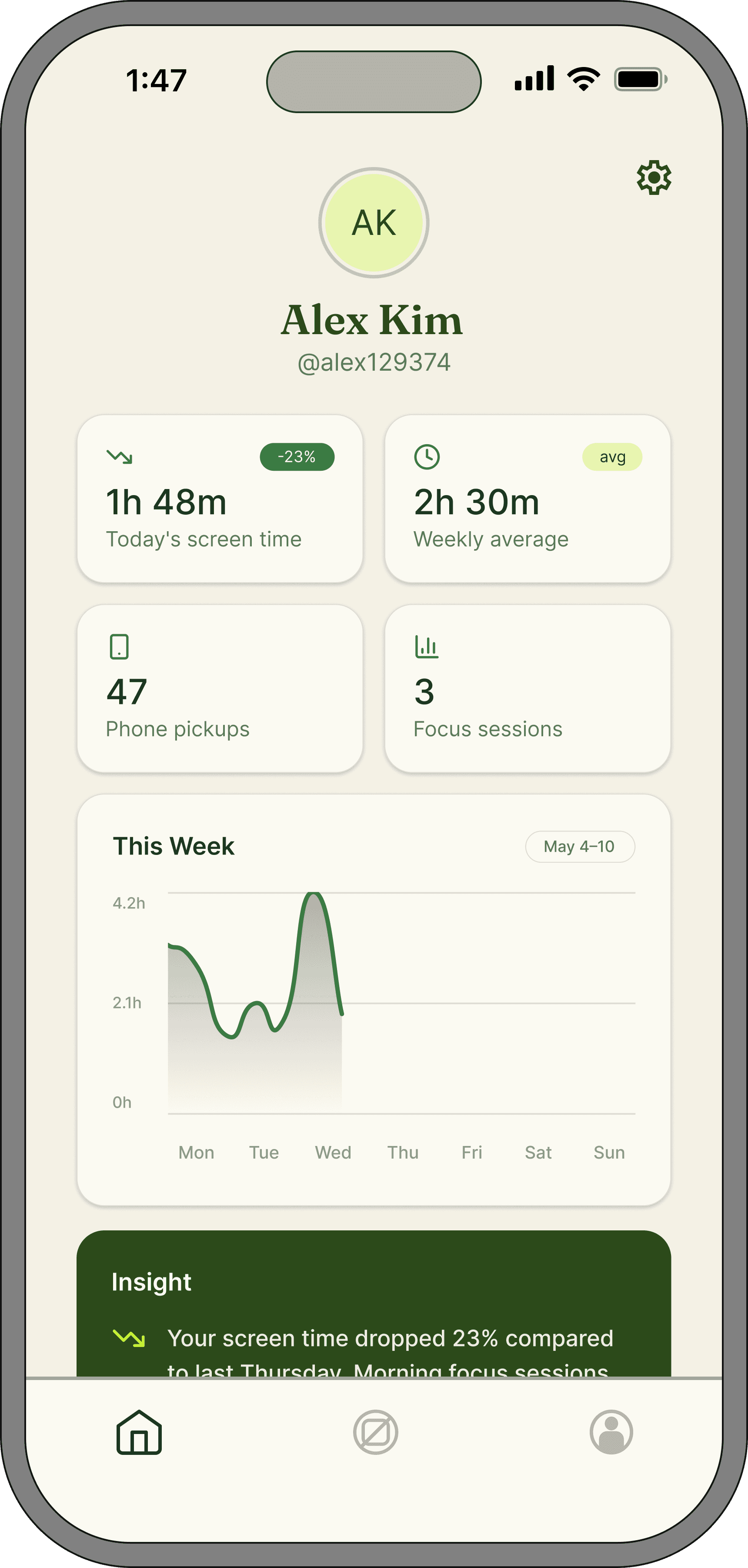
Personal Stats Page
Personalized insight for the user regarding their screen time and phone usage habits
Flows
Flow 1: User decides to shake phone when met with the time limit screen
Making the user shake their phone creates humiliation, especially when they are in a public place. This uncomfortable feeling helps enforce habits around not using phones when the user reaches the screen time limit.
Flow 2: User decides to notify friends to override screen limit
When notifying other group members about surpassing one’s screen time limit, they may be subject to group humiliation through taunt notifications from other group members. As a result, the user may be discouraged to override their screen time limit in the future.
Showcase
At the end of the spring 2026 semester, us graduating seniors had a capstone showcase to display our projects. I created posters to journey map and display the main screens of my app, to help communicate the use cases and importance of my app to the target audience.

Poster #1: Showing main screens and user flows
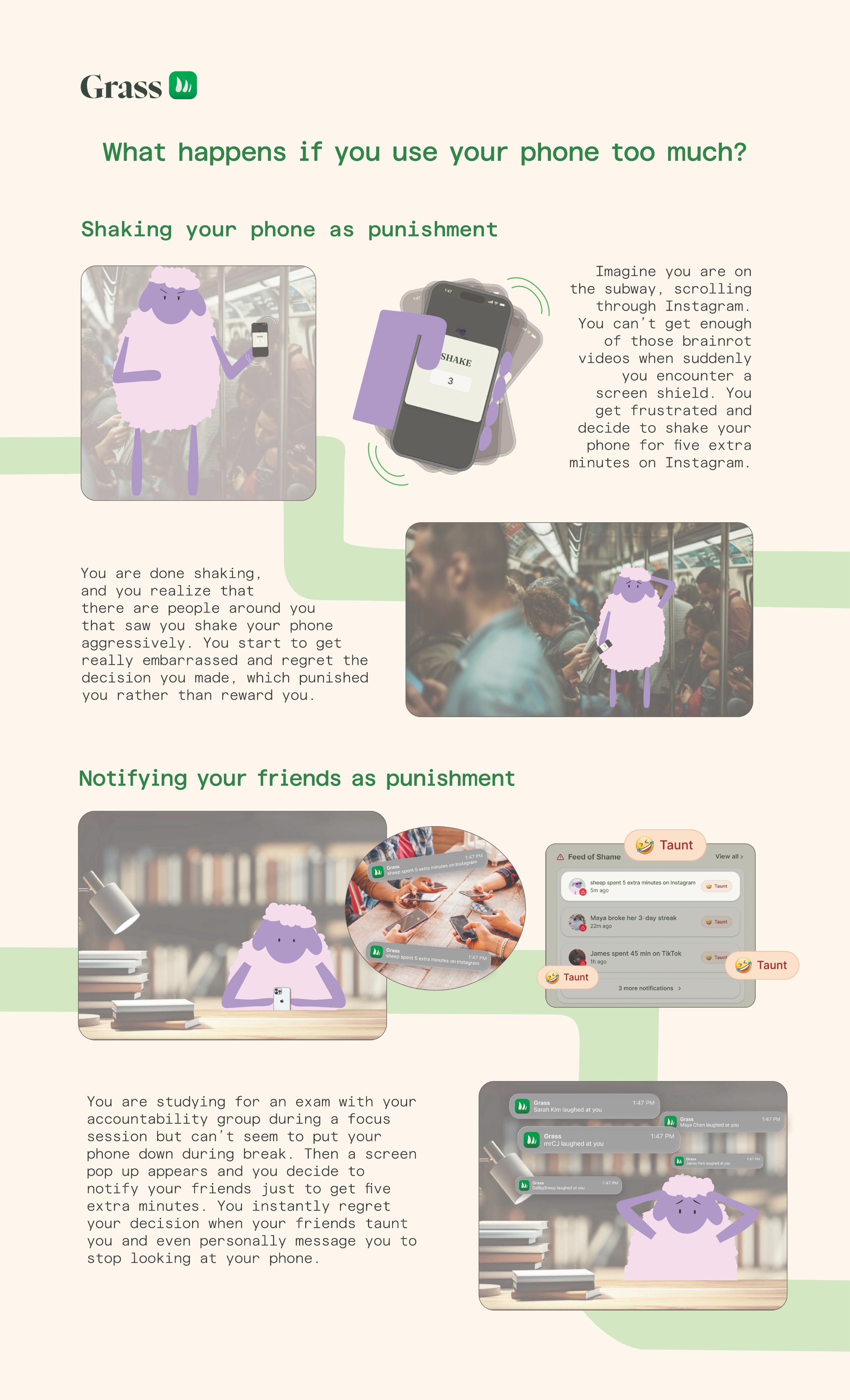
Poster #2: Showing journey maps/storyboards

Exhibition booth for my senior showcase, featuring posters, documentation video (looped), and a live demo device
Next Steps
One of the exhibition-goers, who introduced themselves as a business student, had recommended me to pitch my app to an entrepreneurship mentorship program or a startup incubator. In my spare time, I plan to work towards fully getting the backend of the app developed and launched to the app store.